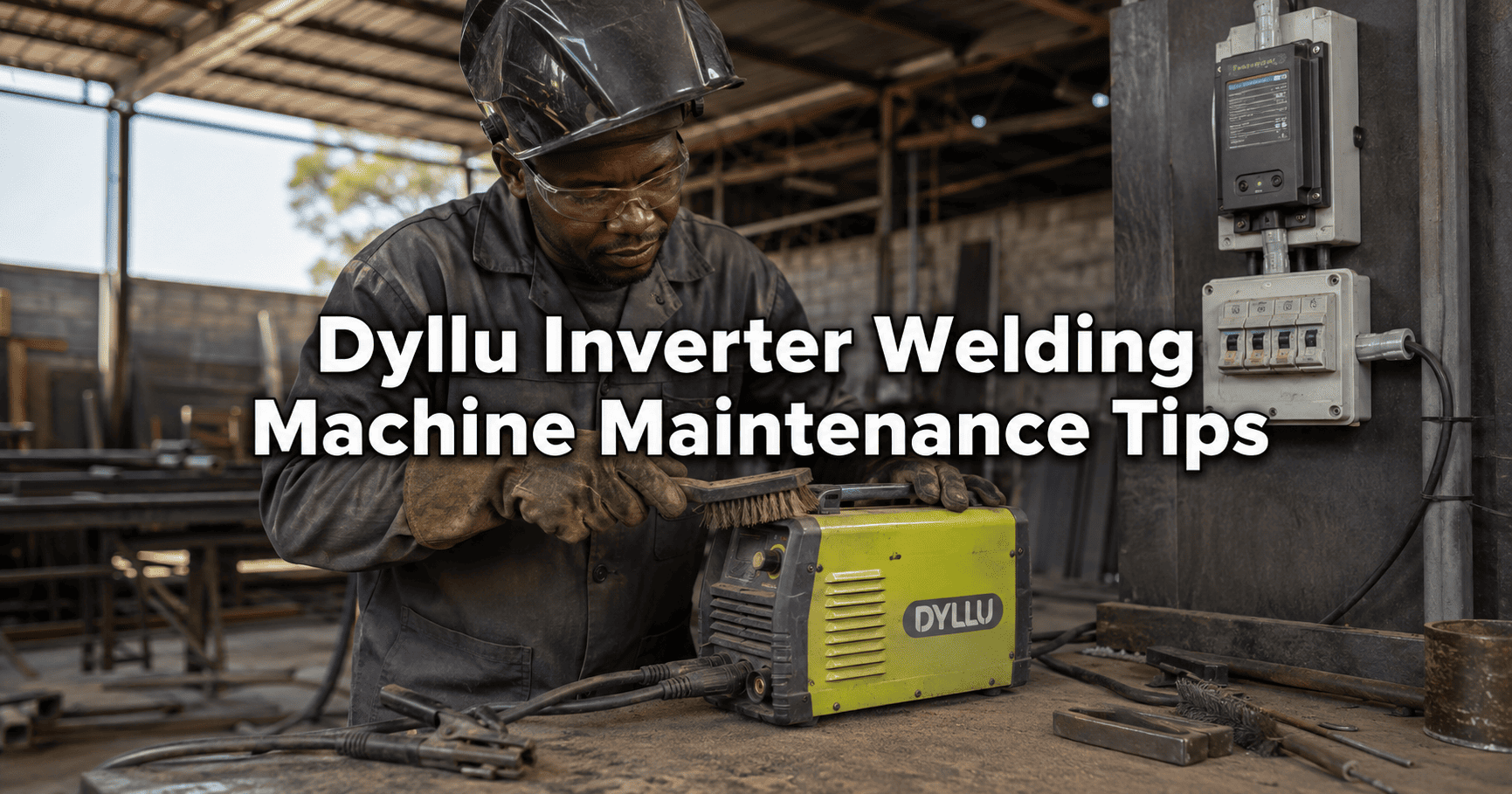
Dyllu Inverter Type Welding Machine Maintenance Tips for Zimbabwe’s Dusty Conditions and Power Surges
Dyllu inverter welding machines are compact, portable and suitable for fabrication, repairs, construction and general workshop use. However, like other modern inverter welders, they contain sensitive electronic components that require protection from dust, moisture, overheating and unstable electricity.
These risks are particularly relevant in Zimbabwe.
Workshops and construction sites can become extremely dusty during the dry season, while ZESA faults, sudden power restoration, generator fluctuations and inadequate electrical wiring can expose equipment to damaging voltage conditions.
Regular maintenance cannot prevent every electrical or mechanical failure, but it can reduce avoidable problems and help a welding machine perform reliably for longer.
This guide provides practical maintenance tips for protecting a Dyllu inverter welding machine in Zimbabwean operating conditions.
Safety note: A welding machine contains hazardous electrical voltages, including voltages that may remain inside after it has been switched off. Internal cleaning and repairs should be performed only according to the manual for the exact model and by a suitably qualified technician. Disconnecting the machine does not automatically make every internal component safe.
Why inverter welding machines need careful maintenance
Traditional transformer welders are relatively simple, although they are often heavy and less portable. Inverter welding machines use electronic switching technology to control and convert electricity.
Depending on the model, internal components can include:
- IGBT power transistors
- Rectifiers
- Capacitors
- Control boards
- Cooling fans
- Temperature sensors
- Heat sinks
- Input filters
- Output terminals
These components allow an inverter welder to provide controlled welding current from a compact machine. However, dust accumulation, excessive heat, loose connections and unsuitable input power can damage the electronics.
Dyllu produces several models with different specifications. For example, the manufacturer lists its DTWD32001 inverter MMA welding machine as a 220–240V unit with a 20–200A output range and IGBT inverter technology.
Always use the specifications printed on your machine’s rating plate and in its manual. Do not assume that settings, duty cycles or input requirements from one Dyllu model apply to another.
How Zimbabwe’s dusty conditions affect a welder
An inverter welding machine normally uses a cooling fan to move air through the enclosure.
The airflow helps remove heat from electronic components, but it can also draw in:
- Fine soil dust
- Grinding dust
- Metal particles
- Welding fumes
- Sawdust
- Cement dust
- Paint particles
Dust can settle on heat sinks, fans and circuit boards. This accumulation may restrict airflow and act as thermal insulation, making it harder for components to release heat.
Conductive metal dust creates an additional risk because it can settle across electronic circuits and contribute to short circuits or tracking.
A machine that appears clean on the outside may still contain substantial dust internally.
Warning signs of dust or cooling problems
Possible warning signs include:
- The cooling fan becoming unusually noisy
- Reduced airflow through the vents
- Frequent thermal-protection shutdowns
- The machine becoming hotter than usual
- An unstable welding arc
- A burning or overheated smell
- Visible dust around ventilation openings
- The fan failing to start
- Welding output cutting out under load
These symptoms can have several causes. Do not assume that dust is the only problem, and do not continue operating a machine that smells burnt, produces smoke or repeatedly trips its protection.
Switch it off, disconnect the input power and arrange for a qualified technician to inspect it.
Keep the welder away from grinding dust
One of the simplest maintenance measures is separating the welding machine from grinding and cutting work.
Angle grinders produce fine metallic particles that can be drawn into the welder by its cooling fan. Positioning the machine directly beside grinding activity increases the amount of conductive debris entering the enclosure.
Where practical:
- Place the welder away from the grinder’s spark path
- Direct grinding sparks away from the machine
- Use separate areas for welding and heavy grinding
- Keep the machine above the dusty floor
- Clean the work area regularly
- Do not place the welder underneath a grinding bench
A welding trolley or raised shelf can reduce the amount of floor dust entering the machine. The support must remain stable and should not obstruct any air vents.
Never cover the machine while it is operating
A cover can keep dust away while the machine is stored, but the welder must not be covered while operating or cooling down.
The cooling fan needs unobstructed airflow.
Do not place the operating machine:
- Inside a closed cupboard
- Under a plastic cover
- Against a wall that blocks the vents
- On a thick cloth that restricts lower openings
- Inside a sealed box
- In direct contact with accumulated workshop waste
Leave the clearance recommended in the manual around the air inlets and outlets.
After welding, allow the machine to cool in a clean and well-ventilated location before covering it for storage.
Clean the external vents regularly
Inspect the external ventilation openings before starting work, particularly in dusty workshops.
Use a clean, soft brush or other method permitted by the manufacturer to remove loose surface dust from the vents.
Do not push dirt deeper into the machine. Avoid using wet cloths near openings, and never pour cleaning liquid through a vent.
The cleaning frequency should reflect the working conditions. A machine used daily in a dusty fabrication workshop may require attention more frequently than one used occasionally in a clean garage.
Miller’s guidance on welding-machine duty cycles recommends keeping welding equipment clean, maintaining the cooling system and ensuring that air vents remain unobstructed.
Internal cleaning should be done safely
Internal dust should be removed periodically, but opening an inverter welding machine exposes the technician to hazardous electrical components.
Before any internal work:
- Switch the machine off.
- Disconnect it from the wall socket, generator or extension cable.
- Follow the manufacturer’s required waiting and discharge procedure.
- Check the warranty conditions before removing covers.
- Use a qualified service technician where the manual requires one.
A technician may use clean, dry, reduced-pressure compressed air where the manufacturer permits it. Excessive pressure can damage components, loosen connections or force debris into sensitive areas.
Compressed air containing moisture or oil should not be used on electronic boards.
Internal cleaning may need to be more frequent when the machine operates around grinding, cement, wood or heavy road dust. Follow the exact Dyllu model’s manual rather than adopting a fixed schedule for every workshop.
Do not use a household vacuum carelessly
A household vacuum may appear to be a safe way to remove dust, but its nozzle and airflow can damage components or generate static electricity.
Do not place a vacuum nozzle directly against circuit boards unless the equipment and procedure are specifically suitable for electronic servicing.
For the owner, the safest routine maintenance is generally limited to cleaning accessible external surfaces, keeping vents clear and arranging professional internal servicing when required.
Store the machine correctly
When the welding machine is not being used, store it in a location that is:
- Dry
- Clean
- Protected from rain
- Protected from direct sunlight
- Away from corrosive chemicals
- Away from grinding and cutting dust
- Secure from accidental impact
- Free from excessive humidity
Use a breathable or appropriate dust cover only after the machine has cooled and been disconnected.
Do not store the welder directly on bare ground or a damp concrete floor. Moisture can affect insulation, connections and electronic components.
If the machine has been moved from a cold location into a warm, humid room, allow any condensation to clear before connecting it to electricity.
Understand the duty cycle
A welding machine’s duty cycle describes how long it can weld at a specified output within a defined test period before it needs time to cool.
For example, Dyllu lists the DTWD32001 at a duty cycle of 200A at 60%. Another Dyllu model may have a different duty cycle.
A 60% duty cycle does not mean the welder can operate continuously at maximum output throughout the day. It indicates a defined operating and cooling relationship under the manufacturer’s test conditions.
Actual thermal performance can also be affected by:
- Ambient temperature
- Dust accumulation
- Blocked air vents
- Fan condition
- Input voltage
- Electrode size
- Welding-current setting
- Length of the welding session
If the thermal-protection light comes on or the machine stops because it is hot, stop welding and allow the fan to cool the machine according to the manual.
Do not bypass thermal protection or repeatedly switch the machine on and off to force it to continue.
Use the correct electrode size and current
Using an unsuitable electrode or excessive current can place unnecessary stress on the welding machine.
Check the model’s specified:
- Output-current range
- Supported electrode diameters
- Recommended current for the electrode
- Duty cycle at the selected output
- Permitted welding process
The Dyllu DTWD32001, for example, is officially listed for electrode diameters from 1.6mm to 4.0mm. This does not mean that every Dyllu inverter supports the same range.
Choose the electrode and current according to:
- Base-metal thickness
- Electrode manufacturer’s recommendation
- Welding position
- Joint design
- Dyllu model specifications
Excessive current may cause overheating, increased electrode consumption and poor weld quality.
Inspect the electrode holder and earth clamp
The electrode holder and work clamp carry high welding current. Loose, damaged or dirty connections create resistance, which produces heat and reduces welding performance.
Before use, inspect:
- Electrode-holder insulation
- Work-clamp spring tension
- Cable insulation
- Cable lugs
- Output plugs
- Connector tightness
- Signs of overheating
- Exposed copper
- Burn marks
- Cracked or melted plastic
The work clamp should make clean, firm contact with the workpiece.
Paint, rust, oil and dirt between the clamp and metal can cause poor current flow and an unstable arc. Clean the clamp location before welding.
Replace damaged cables and connectors with correctly rated components. Do not wrap badly damaged high-current cables with ordinary tape and continue working.
Check the input plug and power cable
Inspect the machine’s input cable and plug regularly.
Look for:
- Cracked insulation
- Loose plug pins
- Burn marks
- Heat damage
- Improvised joints
- Exposed conductors
- Loose terminal screws
- Discolouration around the socket
A hot plug or wall socket may indicate a loose connection, an overloaded circuit or inadequate wiring.
Stop using the machine until the problem has been assessed. Continuing to weld through a damaged socket can cause further equipment damage, electric shock or fire.
Use a correctly sized electrical circuit
A welding machine draws substantial current, particularly at higher output settings.
The supply circuit should use:
- Correct cable size
- Suitable circuit breaker
- Reliable socket and plug
- Proper earthing
- Secure electrical connections
- Adequate supply capacity
The circuit requirements depend on the exact welder model. A small domestic extension lead may be unsuitable even if the plug fits.
Lincoln Electric’s official operator guidance emphasises that the available mains power, fuse or circuit-breaker rating and cable sizes must be adequate for normal machine operation.
Ask a qualified electrician to assess the circuit if the breaker repeatedly trips, the socket becomes hot or the workshop wiring is old.
Avoid long and undersized extension cables
An extension cable creates resistance and voltage drop. The problem increases when the cable is long, thin or left coiled while carrying a heavy load.
An unsuitable extension lead may cause:
- Low input voltage
- Difficult arc starting
- Unstable welding output
- Overheated plugs and cables
- Reduced machine performance
- Protective shutdown
- Damage to electrical connections
If an extension cable is necessary, use a cable size and maximum length approved for the welding machine’s input current.
Fully uncoil a cable reel before heavy use unless its rating specifically permits the required load while coiled.
Do not connect several lightweight extensions together.
Why power surges are dangerous to inverter welders
An inverter welding machine contains electronic components that can be damaged by abnormal input voltage.
Possible power problems include:
- A surge when ZESA power returns
- Lightning-induced voltage spikes
- Loose neutral connections
- Overvoltage
- Prolonged undervoltage
- Rapid voltage fluctuations
- Generator frequency instability
- Incorrect generator voltage
- Poor earthing
A power surge can damage input protection components, rectifiers, capacitors, IGBTs and control boards.
Not every electrical failure is caused by a dramatic visible surge. Repeated operation on low or unstable voltage can also stress the machine.
Switch off during outages and unstable restoration
When ZESA goes off, switch the welder off and disconnect it if practical.
Do not leave it energised waiting for power to return.
After electricity has been restored, allow the supply to stabilise before reconnecting sensitive workshop equipment. If lights become unusually bright or dim, or equipment behaves abnormally, disconnect the welder and have the electrical supply inspected.
A surge-protection device can help with certain short-duration voltage spikes, but it does not correct every form of bad power.
Use suitable surge and voltage protection
Protection for a welding machine may include:
- Distribution-board surge-protection devices
- Dedicated equipment protection
- Correct circuit breakers
- Proper earthing
- Overvoltage and undervoltage protection
- A suitably rated voltage-protection device
- Correct lightning-protection measures
The protective equipment must be rated for the welding machine’s electrical demand. A small plug-in protector intended for a television may not be suitable for a high-current welder.
Surge protection and voltage regulation are also different functions.
A surge-protection device is intended to limit certain short-duration voltage spikes. A voltage protector or regulator may disconnect or correct power when voltage remains outside an acceptable range, depending on the device.
Read our guide explaining how protection kits help prevent damage from power surges, lightning and ZESA faults.
Can a Dyllu welder run from a generator?
A Dyllu inverter welder may be used with a generator only when the generator can provide the power quality and capacity required by that exact model.
Check:
- Welder input voltage
- Welder maximum input demand
- Generator continuous output
- Generator surge capacity
- Voltage regulation
- Frequency stability
- Earthing arrangement
- Other loads connected to the generator
Do not size the generator using the welder’s output current in amperes. A welding output such as 160A or 200A is not the same as the input current drawn from the electricity supply.
A small or poorly regulated generator may produce unstable voltage when the welding arc starts. This can cause weak performance, repeated shutdown or damage.
Avoid changing generator speed while welding. Let the generator stabilise before connecting the machine, and disconnect the welder before switching the generator off.
Can a Dyllu welder run from a solar system?
It may be possible, but the solar system must be specifically assessed for the welder’s input requirements.
A welding machine is a demanding and rapidly changing load. The system may require:
- A sufficiently powerful inverter
- Adequate surge capability
- A large solar array
- Sufficient battery discharge capacity
- Correct DC cabling
- Suitable protection
- Proper earthing
- Limited simultaneous household loads
Do not assume that a “5kVA system” can operate every 200A welding machine at maximum output. The selected welding current, input demand, inverter rating and other connected loads matter.
Our guide to what a 5kVA solar system can run in Zimbabwe explains why inverter capacity and total load must be considered together.
Request professional advice before connecting welding equipment to a household hybrid inverter.
Keep the cooling fan in good condition
The cooling fan is essential to the welder’s thermal management.
Warning signs of a fan problem include:
- Fan not turning
- Grinding or rattling noise
- Intermittent operation
- Weak airflow
- Repeated thermal shutdown
- Fan blades visibly blocked by dust
Some welders use fan-on-demand control, so the fan may not run continuously. Check the manual before deciding that the fan is faulty.
Do not insert tools through the ventilation openings or attempt to force the fan to turn while the machine is connected.
A faulty fan should be replaced with the correct component by a qualified technician.
Keep moisture away from the welder
Water and welding electricity are a dangerous combination.
Do not operate or store the welding machine:
- In rain
- On wet ground
- Where roof leaks can reach it
- Beside open water containers
- With wet gloves
- In areas with uncontrolled condensation
If a machine becomes wet, disconnect it and have it inspected before use. Switching it on merely to “dry it out” can cause electric shock and additional damage.
Do not ignore unusual smells or sounds
Stop using the machine if you notice:
- Smoke
- Sparks from inside the enclosure
- A strong burning smell
- Repeated popping sounds
- Abnormally loud fan noise
- Melted plugs
- Severe vibration
- Persistent error indications
- Repeated breaker trips
Disconnecting the equipment early may prevent a minor fault from becoming a more expensive failure.
Do not continue welding until the machine completely stops. Inverter components can fail suddenly and may damage surrounding components when they do.
What owners can safely check
Without opening the machine, an owner can generally inspect:
- External ventilation openings
- Power cable and plug
- Electrode holder
- Work clamp
- Welding cables
- Output connectors
- Enclosure condition
- Control knobs
- Display
- Fan airflow
- Warning lights
- Signs of overheating
Any inspection should be performed with the machine switched off and disconnected unless the manual specifically requires an operational check.
Internal diagnosis, component replacement and circuit-board repairs should be left to a qualified repair technician.
Suggested maintenance schedule
The appropriate schedule depends on usage and working conditions, but the following provides a practical starting point.
Before every use
- Inspect the input cable and plug
- Check the electrode holder
- Check the work clamp
- Inspect welding cables
- Make sure ventilation openings are clear
- Confirm that the machine is dry
- Check that the power supply is suitable
Weekly in regular workshop use
- Clean external dust
- Check output connectors for looseness
- Inspect the extension cable
- Examine plugs and sockets for heat damage
- Clean the work-clamp contact surfaces
- Listen for unusual fan noise
Monthly
- Inspect the storage and operating environment
- Check surge and voltage-protection equipment
- Examine cable lugs and accessories
- Review any repeated thermal shutdowns
- Arrange internal cleaning if the environment is extremely dusty
Periodically by a qualified technician
- Clean internal components using an approved method
- Inspect the cooling fan and heat sinks
- Check internal electrical connections
- Look for heat-damaged components
- Test insulation and earthing
- Verify machine operation under load
The exact intervals should follow the manual for the Dyllu model and may need to be shorter in very dusty conditions.
Common maintenance mistakes
Blowing high-pressure air into the vents
This can force debris deeper into the machine or damage sensitive components.
Opening the machine immediately after unplugging it
Internal capacitors may retain dangerous voltage. Follow the specified discharge and waiting procedure.
Operating with blocked vents
This reduces cooling and can trigger thermal shutdown or shorten component life.
Ignoring loose output connectors
Loose high-current connections create heat and unstable welding performance.
Using an undersized extension cable
This causes voltage drop and can overheat the cable, plug or socket.
Relying on a small household surge protector
Protection must be suitable for the welder’s current and electrical environment.
Running continuously beyond the duty cycle
Thermal protection should not be treated as a normal operating timer.
Using a generator without checking capacity
Generator wattage, voltage regulation and frequency stability must meet the welder’s input requirements.
Continuing to weld after smelling burnt electronics
The machine should be disconnected and inspected before further use.
Frequently asked questions
How often should a Dyllu inverter welding machine be cleaned?
External vents should be inspected regularly and whenever dust is visible. Internal-cleaning frequency depends on usage and the working environment. Machines used near grinding or in dusty workshops require more frequent professional attention.
Can I blow dust out with an air compressor?
Only if the exact model’s instructions permit it and the procedure is performed safely. Internal cleaning should use clean, dry air at suitably reduced pressure and should normally be handled by a qualified technician.
Why does my welder switch off after several minutes?
Possible causes include exceeding the duty cycle, blocked ventilation, a faulty cooling fan, high ambient temperature, low input voltage or an internal fault. Allow the machine to cool and investigate repeated shutdowns.
Will a surge protector protect the welder from every ZESA problem?
No. A surge-protection device addresses certain transient voltage spikes. It may not protect against prolonged overvoltage, undervoltage, a loose neutral, incorrect generator frequency or inadequate wiring.
Why does the plug become hot?
A hot plug may indicate a loose connection, damaged socket, undersized extension cable, excessive load or inadequate wiring. Stop using the machine and have the circuit checked.
Can I use any 220V generator?
No. The generator must provide adequate continuous power, stable voltage and suitable frequency for the exact welder. A generator that merely has a 220V outlet is not automatically suitable.
Should the cooling fan run continuously?
It depends on the model. Some machines run the fan continuously, while others use fan-on-demand control. Consult the manual before diagnosing a fault.
Can I repair the circuit board myself?
Internal inverter repairs involve hazardous voltages and sensitive electronics. They should be performed by a qualified technician with appropriate test equipment and access to the correct technical information.
Protect your Dyllu welding machine before problems start
The most effective maintenance habits are simple:
- Keep the machine away from grinding dust
- Keep the vents clear
- Respect its duty cycle
- Inspect plugs, cables and clamps
- Use a properly sized electrical circuit
- Protect it from surges and abnormal voltage
- Keep it dry
- Arrange safe internal cleaning
- Stop operating when warning signs appear
A good inverter welding machine can provide years of useful service, but its electronic components should not be treated like those of a basic transformer welder.
Solar Power Shop supplies solar equipment and related electrical solutions to customers throughout Zimbabwe. Browse the inverter-type welding machine category or contact Solar Power Shop for information about available equipment and suitable electrical protection.